
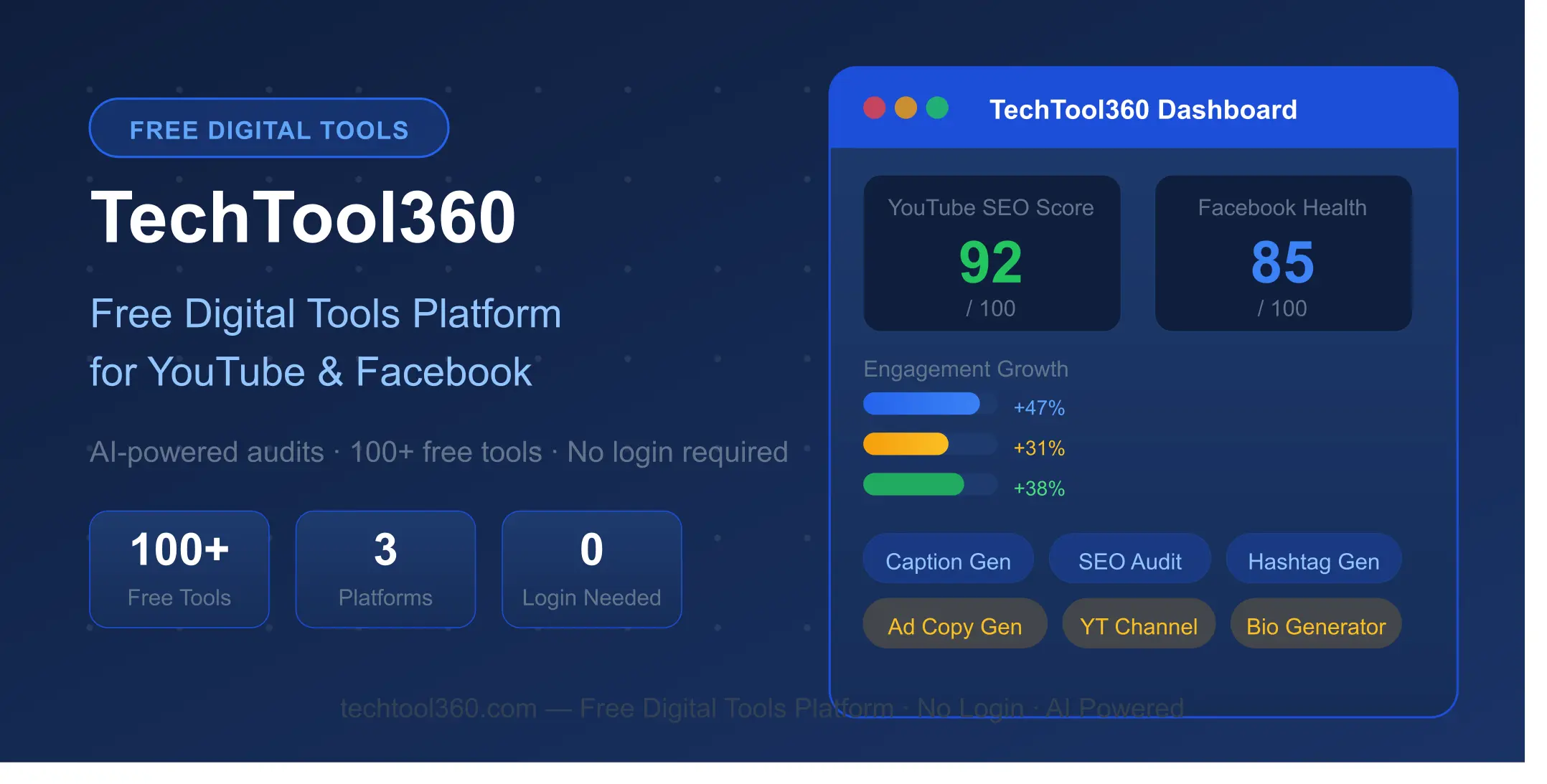
If you have been juggling five different tools just managing your YouTube channel and Facebook page — paying for one, struggling with the free tier of another, and still not getting the results you want — this guide is for you. We built TechTool360 to solve exactly this problem, and today I want to walk you through everything it offers, why we built it for free, and how you can start using it right now.
Let me be honest with you. When we started building TechTool360, we were frustrated. Not with the lack of tools — there are plenty of those. We were frustrated with the fact that every decent tool either costs money, asks you to sign up, limits your free usage to almost nothing, or only covers one platform.
VidIQ is great for YouTube but does nothing for Facebook. TubeRanker helps with YouTube SEO but has paywalls. SEOptimer is solid for website audits but doesn't touch social media content. And none of them — not a single one — gives you free tools for both YouTube and Facebook without making you create an account first.
That gap is exactly why TechTool360 exists. We wanted to build a free digital tools platform where a small YouTube creator in Jaipur, a Facebook marketer in Mumbai, or a freelancer in Delhi could walk in, use powerful AI tools, and walk out with results — no credit card, no account, no waiting.
In this guide, I am going to walk you through all 25+ free tools we have built across YouTube and Facebook, explain exactly what each one does, show you how it compares to paid alternatives, and help you figure out which tools to start with based on your specific situation.
What you will learn in this guide:
- 8 free YouTube audit and content tools — and how to use each one
- 15 free Facebook AI tools — from captions to ad copy to giveaway posts
- How TechTool360 compares to VidIQ, TubeRanker, and SEOptimer
- Who should use which tools and where to start
- What is coming next — 100+ tools and website SEO audit
The good news is that free tools for YouTube and Facebook now exist that are genuinely powerful — and that is exactly what TechTool360 delivers.
Want to know how to grow your YouTube channel from scratch? Read our complete free guide — How to Grow a YouTube Channel in 2026 →
Why Free Tools for YouTube and Facebook Actually Matter in 2026
Here is a number that surprised me when I looked it up — the average small YouTube creator or Facebook marketer is spending between ₹2,000 and ₹8,000 per month on tools alone. That is before ads, before equipment, before any other business expense. For someone just starting out, that is simply not sustainable.
And the painful irony is that most of those tools have overlapping features. You pay for a hashtag generator here, a caption tool there, a channel audit somewhere else. Three subscriptions, three logins, three monthly charges — and half the features you are paying for, you never even use.
In 2026, AI has changed the economics of this completely. The same AI models that power tools costing $50 a month are now accessible via API at a fraction of the cost. This means that a well-built free platform can genuinely compete with — and in many cases outperform — paid alternatives that have been coasting on their brand name for years.
The other thing that matters, especially for Indian creators, is privacy. Many premium tools require you to connect your YouTube account or Facebook page directly. That means giving a third-party app access to your channel data, your subscriber count, your video analytics. TechTool360 does not ask for any of that. You get the results without handing over your data.
No login. No account. No data sharing. Just open the tool, type your input, and get your results. That is the promise we made when we built this, and it is the promise we intend to keep.
That is the core promise behind our free tools for YouTube and Facebook — useful, instant, and completely free.
Free YouTube Tools — Everything a Creator Needs to Grow
The YouTube Audit section of TechTool360 has 8 tools, each targeting a different stage of the creator workflow. Whether you are just starting your channel or trying to optimise an existing one, there is something here for you.
1. Free YouTube Channel Audit Tool
This is the tool most creators start with, and for good reason. Paste in your YouTube channel URL and within seconds you get a complete health check — your SEO score, engagement rate, tag optimisation, thumbnail quality assessment, and a prioritised list of growth recommendations.
What makes this different from a basic audit is that it does not just flag problems. It tells you what to fix first, why it matters, and what impact fixing it is likely to have on your channel growth. Think of it as getting a second opinion from someone who has analysed thousands of YouTube channels — except it is free and instant.
→ Run your free YouTube channel audit
2. Free YouTube Competitor Channel Analyser
One of the most underused growth strategies on YouTube is studying what your competitors are doing right. This tool lets you enter any YouTube channel URL and get a breakdown of their content strategy, posting frequency, engagement patterns, and what seems to be working for them.
You are not copying them — you are learning from the market. What topics are resonating? What thumbnail styles are getting clicks? What posting schedule seems to work in your niche? This tool surfaces those insights without you having to spend hours manually going through someone else's channel.
→ Analyse a competitor channel for free
3. Free YouTube SEO Optimizer
YouTube SEO is one of the most misunderstood parts of growing a channel. Most creators either ignore it completely or over-optimise in ways that feel spammy and actually hurt their rankings. This tool finds the balance.
Enter your video topic or existing video title and description, and the tool scores your SEO setup against what is currently ranking well on YouTube. You get specific suggestions for title improvements, description structure, tag selection, and keyword placement — all in plain language that actually makes sense.
→ Optimise your YouTube SEO for free
4. Free YouTube Title, Hashtag and Description Generator
Coming up with a great video title is harder than it looks. You need it to be click-worthy, keyword-rich, and honest — all at the same time. This tool generates multiple title options, relevant hashtags, and a full SEO-optimised description based on your video topic.
The descriptions it generates are not generic filler text. They are structured to include your main keyword naturally, feature a clear video summary, and end with a call to action. Copy, paste, tweak if needed, and publish. That is it.
→ Generate titles, hashtags and descriptions free
5. Free YouTube Video Idea Validator and Hook Analyser
Before you spend three hours filming and editing a video, it helps to know whether that idea has a realistic chance of performing well. This tool analyses your video idea against current YouTube trends, search demand, and competition levels to give you a viability score.
It also analyses your opening hook — the first 15 seconds that determine whether someone keeps watching or clicks away. A strong hook is the single biggest factor in watch time retention, and this tool helps you craft one that actually works.
→ Validate your next video idea for free
6. Free YouTube Thumbnail Analyser
Your thumbnail is your video's first impression. Studies consistently show that thumbnail quality is the single biggest factor in click-through rate — more than the title, more than the topic, more than your subscriber count. Yet most creators spend less than five minutes on their thumbnails.
Upload your thumbnail image and this tool scores it on clarity, contrast, text readability, emotional impact, and predicted click-through potential. It tells you exactly what is working and what to change before you publish.
→ Analyse your YouTube thumbnail for free
7. Free YouTube Niche Finder
Choosing the right niche is the single most important decision a new YouTube creator makes — and it is also the one most people get wrong. Too broad and you compete against channels with millions of subscribers. Too narrow and there is not enough audience. This tool helps you find the sweet spot.
Enter your interests and areas of knowledge, and the tool maps them against 10 popular categories to suggest 3 specific niches per category that have genuine growth potential right now. It is not just about what is trending — it is about what is sustainable and what aligns with who you actually are.
→ Find your YouTube niche for free
8. Free YouTube Comment Sentiment Analyser
Your comment section is a goldmine of audience intelligence that most creators completely ignore. Paste in a batch of comments from any YouTube video — yours or a competitor's — and this tool analyses the sentiment, identifies common themes, flags questions your audience is asking, and highlights what is resonating emotionally.
This is particularly useful for content planning. If 40% of comments on a competitor's video are asking the same question, that question is your next video topic. This tool surfaces those opportunities automatically.
Free Facebook AI Tools — 15 Tools for Marketers and Page Owners
The Facebook Audit section is where TechTool360 really stands apart from every other free tool platform out there. While competitors focus entirely on YouTube, we built 15 dedicated Facebook AI tools covering every aspect of managing a Facebook page — from daily content creation to ad copy, giveaways, events, and more.
1. Free Facebook Caption Generator
Writing engaging Facebook captions that stop the scroll is harder than most people think. This tool generates multiple caption options for any topic, product, or event — each one tailored to your selected tone, whether that is professional, conversational, humorous, or inspirational. Try it free →
2. Free Facebook Ad Copy Generator
Writing Facebook ad copy that actually converts is a skill that typically costs thousands of rupees to hire for. This tool generates high-converting ad copy for any product or service — complete with headline, body text, and call to action — based on proven direct response frameworks. Try it free →
3. Free Facebook Hashtag Generator
Unlike Instagram where hashtags are a major discovery mechanism, Facebook hashtags are more nuanced. This tool generates the right mix of broad, niche, and branded hashtags for your specific post topic — optimised for Facebook's current algorithm rather than using generic hashtag lists. Try it free →
4. Free Facebook Bio Generator
Your Facebook page bio is often the first thing a potential follower reads. This tool generates professional, compelling page bios with a live character counter — green when you are under 255 characters, which is the sweet spot for Facebook's display. Try it free →
5. Free Facebook Post Ideas Generator
Content calendars are exhausting to maintain. This tool generates a week's worth of post ideas for any niche or business type — including the post format, the key message, and the engagement hook for each idea. Try it free →
6. Free Facebook Comment Reply Generator
Responding to comments consistently is one of the best ways to boost your Facebook page's organic reach. But when you have dozens of comments to reply to, it gets time-consuming fast. This tool generates appropriate, personalised replies based on the comment type and your selected tone. Try it free →
7. Free Facebook Giveaway Post Generator
Giveaways are one of the fastest ways to grow a Facebook page, but writing a giveaway post that is clear, compliant, and engaging is harder than it looks. Enter your prize, rules, and entry requirements and this tool generates a complete giveaway post ready to publish. Try it free →
8. Free Facebook Poll Question Generator
Polls consistently outperform regular posts in terms of engagement on Facebook. The challenge is coming up with poll questions that your audience actually wants to answer. This tool generates interesting, relevant poll questions for any niche — with answer options displayed as visual poll cards. Try it free →
9. Free Facebook Event Description Generator
A well-written event description can be the difference between 10 attendees and 100. This tool takes your event details — name, date, location, price, and description — and generates a compelling event description that builds anticipation and drives RSVPs. Try it free →
10. Free Facebook Story Caption Generator
Facebook Stories are one of the most underutilised features for organic reach. This tool generates short, punchy story captions with the right mood and tone — whether you are sharing a behind-the-scenes moment, a product launch, or a personal update. Try it free →
11. Free Facebook CTA Generator
Every Facebook post needs a clear call to action. This tool generates CTAs tailored to your goal — whether you want people to visit your website, share the post, comment, purchase something, or sign up for something. Try it free →
12. Free Facebook Engagement Questions Generator
Posts that ask questions get significantly more comments than posts that do not. This tool generates thought-provoking engagement questions for any topic or niche — the kind that genuinely make people want to stop scrolling and share their opinion. Try it free →
13. Free Facebook Testimonial Generator
Social proof is one of the most powerful conversion drivers on Facebook. This tool helps you craft compelling testimonial posts from customer feedback — with an ethics notice included to remind you to always use real customer experiences as your base. Try it free →
14. Free Facebook Page Name Generator
Your page name is one of the most permanent decisions you will make. This tool generates multiple page name options based on your niche, brand values, and target audience — with a character count shown for each suggestion so you can see exactly how it will appear on Facebook. Try it free →
15. Free Facebook Product Description Generator
Selling products through Facebook? This tool generates persuasive product descriptions for your Facebook shop or posts — with a price input field and individual copy button for each description so you can test multiple versions. Try it free →
TechTool360 vs VidIQ vs TubeRanker vs SEOptimer — Honest Comparison
I want to be straight with you here. VidIQ, TubeRanker, and SEOptimer are all solid tools. They are not bad — they are just built for different things, and none of them does what TechTool360 does. Here is an honest side-by-side:
| Feature | TechTool360 | VidIQ | TubeRanker | SEOptimer |
|---|---|---|---|---|
| Free Forever | ✅ Yes | ❌ Limited | ❌ Paid | ❌ Paid |
| No Login Required | ✅ Yes | ❌ No | ❌ No | ❌ No |
| YouTube Tools | ✅ 8 Tools | ✅ Yes | ✅ Yes | ❌ No |
| Facebook Tools | ✅ 15 Tools | ❌ No | ❌ No | ❌ No |
| Website SEO Audit | ⏭️ Coming Soon | ❌ No | ❌ No | ✅ Yes |
| AI Powered | ✅ GPT-4o-mini | ✅ Yes | ⚠️ Limited | ❌ No |
| No Data Sharing | ✅ Yes | ❌ Requires access | ❌ Account needed | ❌ Account needed |
| Works for Indian Creators | ✅ Yes | ✅ Yes | ✅ Yes | ✅ Yes |
| Mobile Friendly | ✅ Yes | ✅ Yes | ✅ Yes | ✅ Yes |
| Starting Price | Free | $7.50/month | $9.90/month | $29/month |
The honest takeaway: if you are a serious YouTube creator who needs deep analytics, competitor tracking, and rank monitoring over time, VidIQ's paid plan offers things TechTool360 does not. We are not trying to be everything to everyone.
But if you are a creator or marketer who needs powerful AI content tools, a solid channel audit, and Facebook content generation — all without paying a rupee or creating an account — TechTool360 is genuinely the best free option available right now.
How to Get Started — No Setup Required
One of the things we are most proud of at TechTool360 is how simple it is to start. There is no onboarding, no tutorial, no settings to configure. Here is literally all you need to do:
Go to techtool360.com
No account creation, no email verification, no trial period. Just open the website and you are in.
Choose YouTube Audit or Facebook Tools
Click on whichever section matches what you need. Each tool has a clear description so you know exactly what it does before you use it.
Enter your details and click Generate
Each tool has simple input fields. Fill them in, hit the button, and the AI generates your results — usually in under 5 seconds.
Copy, use, and repeat
Every tool has a copy button. Take what the AI generates, edit it to add your personal voice, and use it. You can generate up to 10 results per tool per day — the limit resets at midnight.
One important note on the daily limit — 10 uses per tool per day is genuinely enough for most use cases. If you need a caption for today's post, you generate one. If you need five caption options to choose from, you generate five. That is well within the daily limit. We built this limit to keep the platform sustainable and free for everyone.
Who Should Use TechTool360 — And Where to Start
Different people will get different value from TechTool360 depending on where they are in their journey. Here is a quick breakdown:
If you are a new YouTube creator — Start with the Channel Audit tool if you already have a channel, or the Niche Finder if you are still deciding what to make videos about. Then use the Title and Description Generator for your next video.
If you are a Facebook page owner or marketer — Start with the Caption Generator and Post Ideas Generator to solve your immediate content creation problem. Then explore the Ad Copy Generator when you are ready to run paid promotions.
If you are a small business owner — Use the Facebook tools for your page content and the YouTube tools if you have or are planning a YouTube channel. The Testimonial Generator and Event Description Generator are particularly useful for local businesses.
If you are a freelancer or social media manager — TechTool360 can genuinely replace multiple paid tools in your stack. The combination of YouTube and Facebook tools in one platform, all free, is a significant cost saving for client work.
If you are a digital marketing student — This is honestly one of the best platforms to practice on because every tool shows you what good output looks like. Use the tools to learn, not just to copy.
If you are an Indian creator specifically — TechTool360 was built in Jaipur and we understand the Indian creator market. The tools work equally well for Hindi content, regional language niches, and India-focused Facebook marketing. You do not need a VPN, an international credit card, or an English-only interface.
What is Coming Next — 100+ Tools and Website SEO Audit
We are just getting started. Here is what is coming to TechTool360 over the next few months:
Website SEO Audit — A full on-page SEO analysis tool that checks Core Web Vitals, meta tags, heading structure, internal linking, schema markup, and more. This is being built right now and will launch soon. It will be as detailed as SEOptimer's paid plan — completely free.
100+ Free Tools Hub — We are building a complete tools hub with over 100 free tools across 8 categories — YouTube, Facebook, SEO, Writing and Content, Analytics, Technical, Design, and Ads and Monetisation. These tools will be added gradually over the coming months.
If there is a specific tool you want to see built, or a feature you feel is missing, email us at digitalaudittool@gmail.com. We read every message and have already added several tools based on user suggestions.
Bookmark TechTool360 and come back regularly
New tools are added every month. The platform will keep growing — and it will always be free.
Visit TechTool360 →Frequently Asked Questions
Is TechTool360 really completely free?
Yes, completely. There is no free trial, no freemium tier with locked features, and no credit card required. Every tool on TechTool360 is free to use. We keep the platform free through minimal, non-intrusive advertising and by managing our AI API costs carefully. The core tools will always remain free.
Do I need to create an account or sign up?
No account, no sign-up, no email address required. You open the tool, type your input, and get your results. We genuinely believe that your time is valuable and that you should not have to go through a registration process just to use a free tool.
How many times can I use the tools per day?
Each tool allows 10 uses per day, per device. This limit resets at midnight. For the vast majority of use cases — writing today's post, generating a video title, auditing your channel — 10 uses per tool is more than enough. The limit exists to keep the platform sustainable and free for everyone.
Is TechTool360 better than VidIQ for YouTube?
For specific features like deep competitor analytics, daily video ideas based on your channel data, and rank tracking over time, VidIQ's paid plan offers more depth. But for free YouTube tools — channel audit, SEO optimisation, title generation, thumbnail analysis, niche finding — TechTool360 matches or exceeds what VidIQ's free tier offers. And TechTool360 adds 15 Facebook tools that VidIQ does not have at all.
Can I use TechTool360 for Facebook marketing?
Absolutely. The Facebook section is one of TechTool360's biggest strengths. With 15 dedicated Facebook AI tools covering captions, ad copy, hashtags, bios, post ideas, giveaways, polls, events, stories, CTAs, engagement questions, testimonials, page names, and product descriptions — it is the most comprehensive free Facebook content tool set available anywhere.
Does TechTool360 work well on mobile?
Yes, TechTool360 is fully mobile-responsive. Every tool works on smartphones and tablets. Given that most Indian creators manage their channels and pages primarily from mobile devices, we made mobile performance a priority from day one.
What AI model powers TechTool360's tools?
TechTool360 is powered by OpenAI's GPT-4o-mini model. This is the same AI family that powers ChatGPT, optimised for speed and efficiency. It delivers high-quality outputs across all 23 tools while keeping the platform fast and free.
Will TechTool360 always be free?
That is our commitment. The core tools — all 23 of the current YouTube and Facebook tools, plus the upcoming Website SEO Audit and 100+ tools hub — will always have a free tier. We may introduce optional premium features in the future for power users, but the free tools will remain free. That is the promise we made when we built this platform, and it is not changing.
Final Thoughts
The creator economy in India is growing faster than anywhere else in the world. New YouTube channels are being started every day. Facebook pages are being built by local businesses, coaches, freelancers, and entrepreneurs who want to reach their audience without spending a fortune on ads or tools.
TechTool360 was built for those people. For the creator in Rajasthan who wants to grow their channel without paying $50 a month. For the small business owner in Mumbai who needs Facebook content but cannot afford a social media manager. For the student in Bangalore who is learning digital marketing and wants to practice with real tools.
We are not trying to replace VidIQ or SEOptimer. We are building the best free tools for YouTube and Facebook that any creator or marketer can use without spending a single rupee. We is also trying to fill the gap they leave behind — the massive gap between "free" and "useful" that has frustrated creators for years.
If you have read this far, you are clearly serious about growing your YouTube channel or Facebook presence. The best thing you can do right now is go try the tools. Not tomorrow. Right now. It takes 30 seconds to run your first channel audit or generate your first caption. And it costs absolutely nothing.
Found this guide helpful? Share it with a creator or marketer friend who could use free tools. The more people who use TechTool360, the more resources we have to keep building new tools — for free.